> ## Documentation Index
> Fetch the complete documentation index at: https://docs.kameleoon.com/llms.txt
> Use this file to discover all available pages before exploring further.
# Experiment on LLM prompts and AI-agent configurations
> Use Kameleoon feature flags to run controlled experiments on the prompts, models, and configurations behind an LLM application or AI agent, and measure impact with AI-quality, operational, and business metrics.
LLM-powered applications and AI agents are non-deterministic. Changing a prompt, model, retrieval strategy, tool configuration, or agent workflow can affect response quality, operating cost, latency, and user behavior in different, hard-to-predict ways. Evaluation frameworks such as RAGAS score whether an individual response meets a quality bar, but that score doesn't tell you whether the change helps users accomplish what they came to your product to do.
You can use Kameleoon Feature Experimentation capabilities to customize, test, and roll out the configuration behind a generative AI application or AI agent. A feature variable holds a single piece of that configuration (a prompt, a model parameter, a retrieval strategy, a tool definition), so your team can manage it outside your application code. Each variation represents a candidate configuration, which lets you iterate, experiment, and release changes more safely, without redeploying. For example, an AI customer-support agent might expose its system prompt, model, reasoning effort, and retrieval settings as four separate variables, so you can test a new combination of all four at once instead of waiting on a deploy for each one.
Split traffic between variations and compare their impact using several types of metrics:
* **AI-quality metrics**, such as correctness, groundedness, relevance, context quality, safety, or compliance
* **Agent-performance metrics**, such as successful tool use or task completion
* **Operational metrics**, such as latency, token consumption, errors, and cost
* **User and business metrics**, such as satisfaction, escalation, conversion, retention, and revenue
Because the configuration lives in a feature flag instead of your source code, you can add, edit, or roll back a variation directly from the Kameleoon platform at any time.
## Evaluation and experimentation solve different problems
Evaluation determines whether an individual model or agent output meets a defined quality standard. Observability tools let you inspect the prompts, responses, traces, retrieval steps, and tool calls behind that output. Experimentation determines whether a change to the underlying configuration causes a measurable improvement for users or the business: a question neither evaluation nor observability answers.
For example, an LLM judge might score a customer-support agent's rewritten system prompt as more grounded than its current one. A Kameleoon experiment answers the questions your team is accountable for: whether that same configuration resolves more tickets without escalating to a human, and what it costs in latency and token spend to get there.
Kameleoon doesn't replace your LLM observability or evaluation stack. Feed evaluator scores from RAGAS, an LLM judge, or a human review process into Kameleoon as a [custom goal](/user-manual/assets/goals/create-a-goal#custom-goal), and track those scores alongside the behavioral and business goals your experiment already measures. Your model-level quality signals then connect to a statistically reliable measurement of real user impact.
For most AI experiments, combine several metric types rather than relying on one:
* Set a user or business outcome as the primary goal.
* Track AI-quality metrics as secondary goals or guardrails.
* Monitor latency, cost, errors, and safety as operational guardrails.
* Validate automated judges against a sample of human-reviewed examples before you trust their scores at scale.
## How it works
An experiment on an LLM application or AI agent moves through five stages in Kameleoon:
1. **A feature flag holds the configuration.** Each part of the configuration, such as a prompt or a model name, becomes a feature variable on the flag.
2. **Each variation sets its own values.** A variation is one complete candidate configuration, with a value for every variable.
3. **The SDK assigns each visitor a variation.** When a visitor reaches your application, your code requests the flag and receives the assigned variation's values, then uses them to call the LLM or configure the agent.
4. **Goals record what happened.** Your application tracks a conversion against each goal attached to the flag, including a guardrail conversion that fires only when a response breaches an acceptable quality or latency threshold.
5. **The results page compares the variations.** After you collect enough traffic, compare the variations across every attached goal to decide which configuration to roll out.
## Prerequisites
* A Kameleoon account with a project set up for Feature Experimentation.
* Your account's client ID and client secret. To find these values, see [API credentials](/user-manual/account-and-team-management/users-and-teams/api-credentials).
* A server-side application where you can install a Kameleoon SDK, for example a Python application.
## Set up your AI-agent experiment in Kameleoon
The following steps build one concrete experiment: does a rewritten system prompt, combined with a stronger model and a higher reasoning effort, help a customer-support AI agent resolve more tickets on its own, and does it keep latency within an acceptable range while doing so? Configure the feature flag, variations, and tracking goals in the Kameleoon platform before you touch your application code.
### Create the feature flag
Create a feature flag to hold your agent's configuration and control the rollout of your experiment.
1. In the Kameleoon app, click **Features** > **Flags & Experiments** > **New feature flag**.
2. Enter a name, for example `AI support agent config`, and select the project for the flag.
3. In the **Description** field, note what the flag controls, for example "Controls the system prompt, model, reasoning effort, and retrieval settings for the support chatbot," so other members of your team understand its purpose.
4. Click **Validate**.
5. Kameleoon generates a feature key from the flag's name. Note the generated key, or edit it to `ai_support_agent`. Your application code identifies the flag by this key, not by its name, so the two must match.
New flags start in the **OFF** state. You turn the flag on in the Rollout Planner after you finish configuring it.
For more detail, see [Create a feature flag](/user-manual/experimentation/feature-experimentation/create-and-manage-flags/create-a-feature-flag).
### Store the agent configuration in feature variables
Add one feature variable for each part of the agent's configuration you want to test, so you can change any of them from the Kameleoon platform without editing your application code. This example tests four variables:
| Variable key | Type | Example default value |
| ------------------ | ------ | ----------------------------------------------------------------------------------------------------------------------------------------------------------------------------------------- |
| `system_prompt` | String | `You are the support assistant for Kameleoon's help center. Answer only using the article excerpts provided below, and say you'll escalate to a human agent if the answer isn't in them.` |
| `model` | String | `claude-sonnet-5` |
| `reasoning_effort` | String | `low` |
| `retrieval_top_k` | Number | `3` |
1. On the flag's page, in the left sidebar, click **Set Up** > **Variables** > **Add Variable**.
2. Set the variable's **Type** to match the table, either **String** or **Number**.
3. Enter the **Variable Key** from the table, for example `system_prompt`.
4. Set the **Default Value** to the value your application uses in production today. Every variation you create later starts pre-filled with these values, so accurate defaults save you work and give you a known-good configuration to fall back on.
5. Click **Save**.
6. Repeat these steps for each remaining variable in the table.
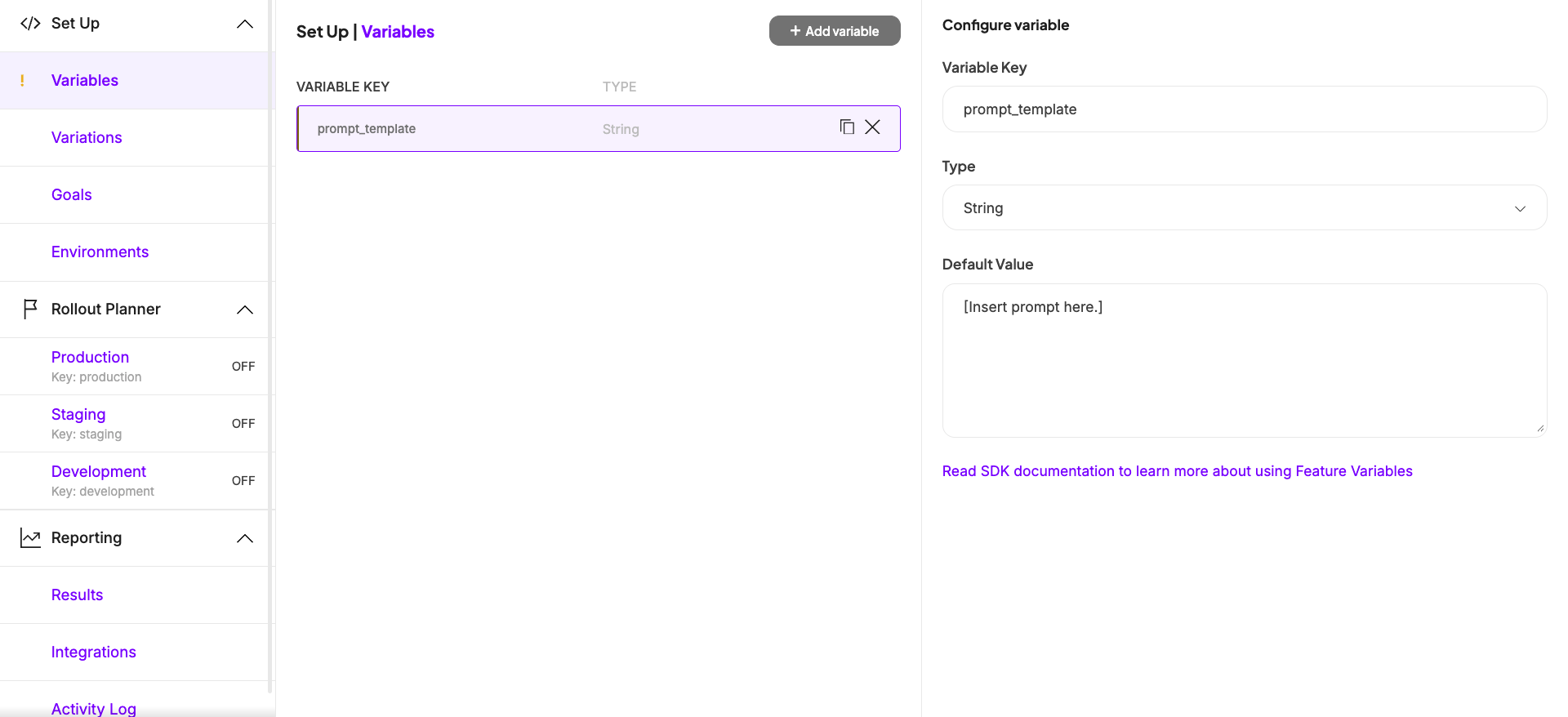
Kameleoon also offers an **Enum** type, where you enter the allowed values as a comma-separated list and then pick from a drop-down when you define variations. Consider it for a variable that only accepts a fixed set of values, since a drop-down prevents a typo from reaching your LLM provider. In this example, you could define `model` as an Enum with the list `claude-sonnet-5,claude-opus-5`, and `reasoning_effort` as an Enum with the list `low,medium,high`.
For more detail, see [Define feature variables](/user-manual/experimentation/feature-experimentation/configure-your-feature-flags/define-feature-variables).
### Create your variations
A delivery rule can only serve **Off** or a variation you created yourself, so an A/B comparison needs a variation for your current configuration as well as one for each new configuration you want to test. This example creates two variations: `Baseline`, which mirrors what your application already serves in production, and `Grounded, high reasoning`, a challenger that combines a rewritten, more explicit prompt with a stronger model and more reasoning effort.
Don't use **Off** as the comparison arm of an experiment, even if your application already has a hardcoded fallback for when it can't read the flag. **Off** represents your application with the flag turned off, and it carries none of the flag's feature variables, so code that reads `system_prompt` or `model` from an **Off** assignment gets nothing back. A hardcoded fallback doesn't solve that problem either: it lives in your source code, not in Kameleoon, so promoting a winning configuration later still means a deploy, and nothing keeps it in sync if the flag's variables change. Create an explicit `Baseline` variation instead, so your current configuration stays visible and editable alongside the challenger you're testing against it.
| Variation | `system_prompt` | `model` | `reasoning_effort` | `retrieval_top_k` |
| ------------------------ | ----------------------------------------------------------------------------------------------------------------------------------------------------------------------------------------------------------------------------------------------------------------------------------------------------------------------------- | ----------------- | ------------------ | ----------------- |
| Baseline | Same as the default value | `claude-sonnet-5` | `low` | `3` |
| Grounded, high reasoning | `You are the support assistant for Kameleoon's help center. Using only the article excerpts provided below, answer the visitor's question and cite the specific article title for each claim you make. If the excerpts don't fully answer the question, say so explicitly and escalate to a human agent instead of guessing.` | `claude-opus-5` | `high` | `5` |
1. In the left sidebar, click **Set Up** > **Variations** > **Add variation**.
2. Enter a **Name**, for example `Baseline`, and a matching **Variation Key**, for example `baseline`. Each variable is pre-filled with its default value, so leave all four unchanged.
3. Click **Save**.
4. Repeat these steps for a second variation named `Grounded, high reasoning` (key `grounded_high_reasoning`), editing each of the four variables to match the value in the table for this variation.
5. Click **Save**.
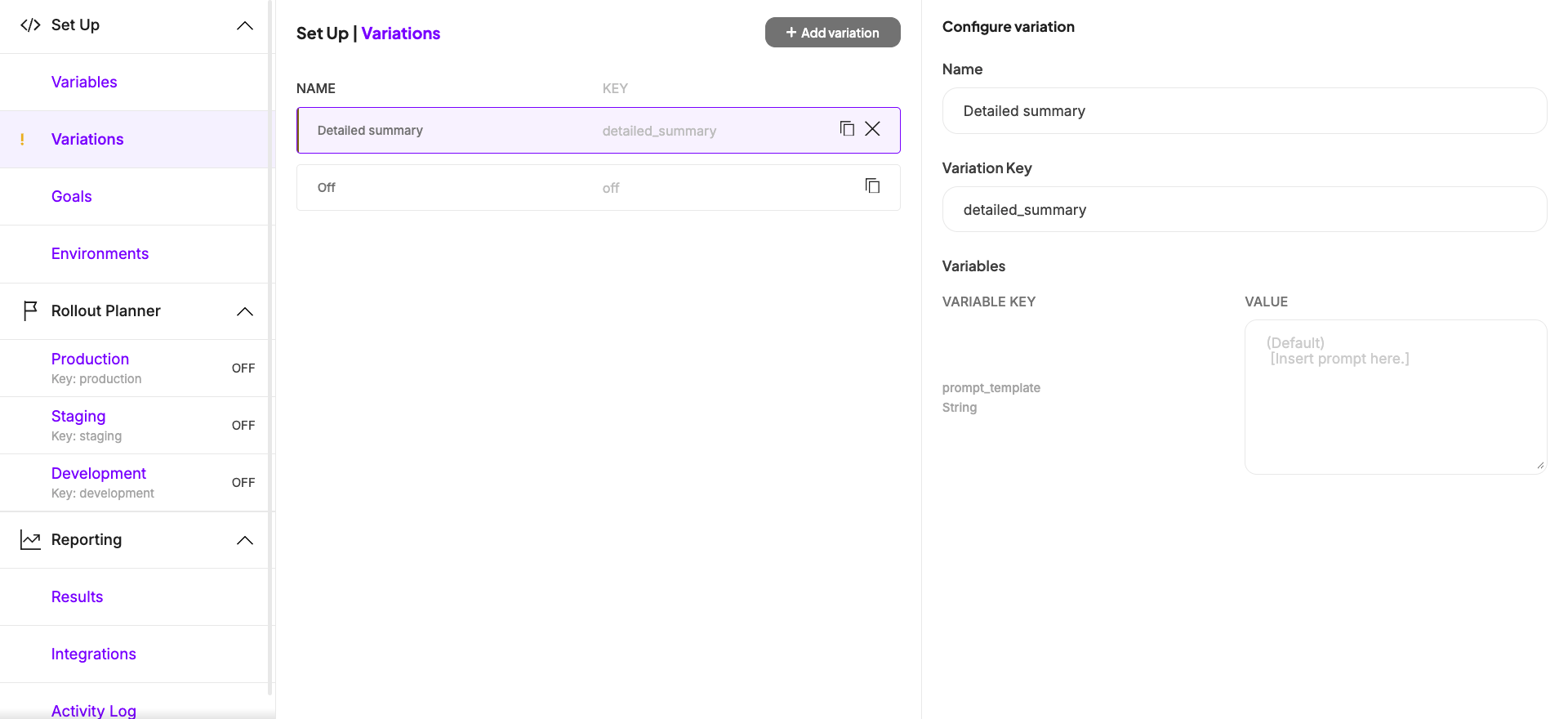
For more detail, see [Define feature variations](/user-manual/experimentation/feature-experimentation/configure-your-feature-flags/define-feature-variations).
### Attach goals for business impact, AI quality, and latency
Attach several goals to the feature flag so you can compare variations across the outcomes your team is accountable for, not just response quality. Because Kameleoon is a unified platform, you can attach any goal that already exists in your organization, or create a goal specific to your LLM-powered feature. This example attaches three goals, one from each of the metric categories that matter for an AI agent:
| Goal | Metric category | Type | What it answers |
| ------------------------------------ | ----------------- | ----------- | ------------------------------------------------------------------- |
| `Ticket resolved without escalation` | User and business | Custom goal | Did the agent actually solve the visitor's problem? |
| `Response groundedness score` | AI quality | Custom goal | Did more responses fall below an acceptable groundedness threshold? |
| `Response latency` | Operational | Custom goal | Did more responses take longer than an acceptable threshold? |
Create all three as **Custom goals** that your backend triggers, since your application fires them rather than the visitor's browser. When you create each goal, select **Custom goal** as the **Type**, then choose [the option for a back-end event via SDK](/user-manual/assets/goals/create-a-goal#option-2-using-a-back-end-event-via-sdk-e-g--node-js).
1. On the flag's page, in the **Set Up** menu, click **Goals** > **Add goal**.
2. Select an existing goal, or click **Create a new goal** to define one. Add `Ticket resolved without escalation` first, since Kameleoon automatically sets the first goal you attach as the **Primary goal**.
3. Click **Save**.
4. Repeat these steps for `Response groundedness score` and `Response latency`, which Kameleoon attaches as **Secondary goals**.
If a goal ends up with the wrong designation, click the three dots next to it to reassign which goal is primary.
`Response groundedness score` and `Response latency` don't carry a numeric value. Your application decides whether a given response breached an acceptable threshold, either too slow or too ungrounded, and triggers the goal's conversion only when it did. Kameleoon then reports each goal's conversion rate per variation, telling you what fraction of responses breached that threshold.
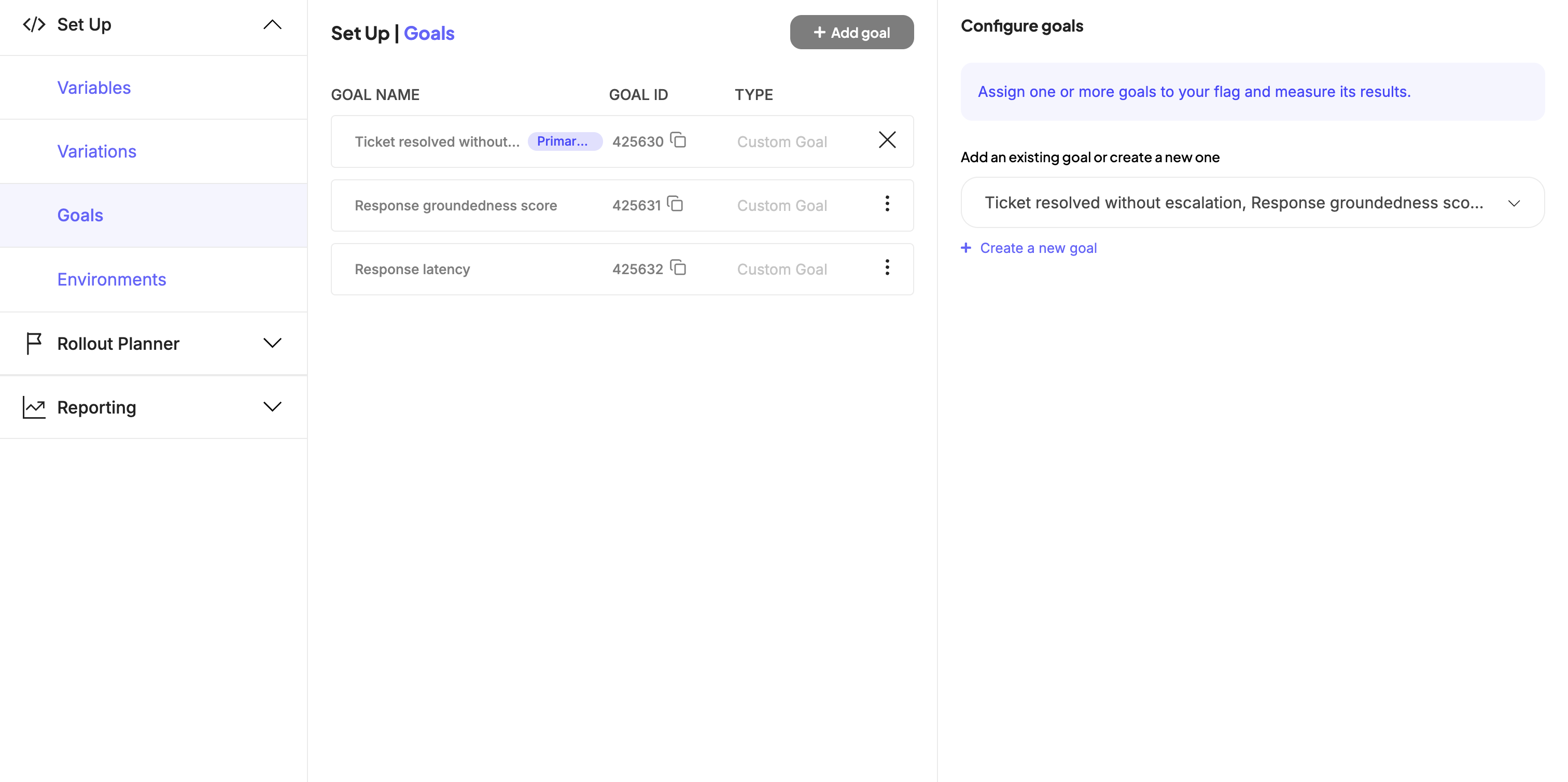
For more detail on goal types, including how to trigger a custom goal from your backend, see [Create a goal](/user-manual/assets/goals/create-a-goal#custom-goal).
### Roll out the experiment
Add an Experiment rule that splits traffic between your two variations, then turn the flag on to start collecting data. The **Add a rule** menu groups rules by purpose. **Feature testing** contains the Experiment rule, which splits traffic and measures a statistically significant comparison between variations, while **Feature delivery** contains Progressive delivery and Targeted delivery, which release a single variation gradually or to a specific segment without comparing arms. An A/B test needs the Experiment rule.
1. In the **Rollout Planner**, select the environment you want to target, for example **Production**.
2. Click **Add a rule**, then under **Feature testing**, select **Experiment**.
3. Under **Variations to serve**, set `Baseline` as the **Control** and add `Grounded, high reasoning` as a **Treatment**. Kameleoon measures every treatment's results against the control, so the control must be the configuration you already run in production.
4. Set the traffic distribution across the two variations, for example 50% each.
5. Set the rule's targeting to include the visitors you want to test, for example all visitors who open a support conversation.
6. In the **Then, for everyone else in production, serve** drop-down, select `Baseline`. Visitors who fall outside the rule's targeting then receive your current, validated configuration, and your application still gets a full set of variables for them.
7. Turn the flag's **ON/OFF** toggle to **ON**.
8. Click **Save**.
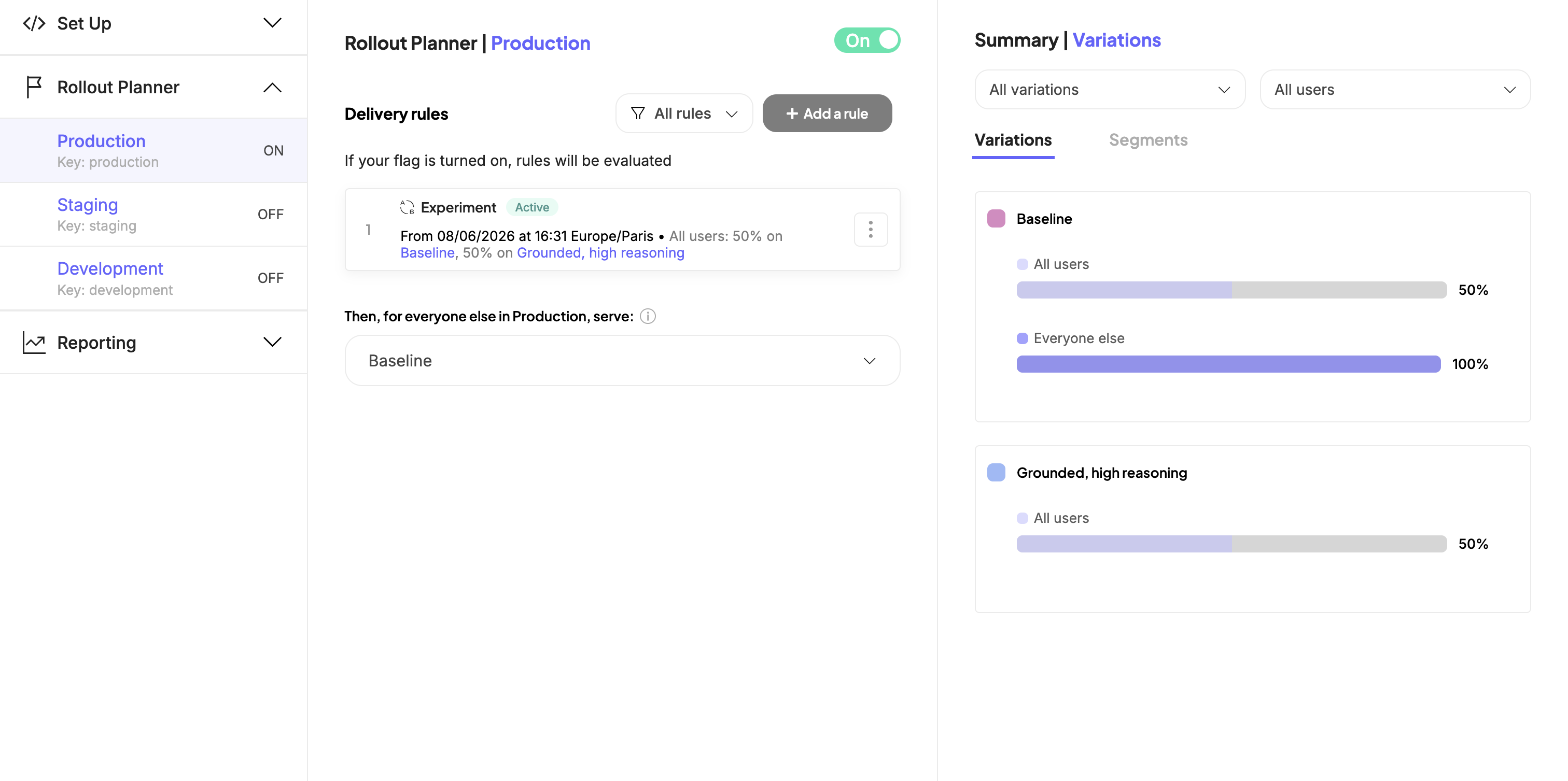
For more detail, see [Create feature experiments](/user-manual/experimentation/feature-experimentation/using-the-rollout-planner/rules-and-targeting/create-feature-experiments).
After you save the rule, Kameleoon starts assigning visitors to a configuration and serving the corresponding variables. To change a value or add a variation later, edit it directly in the Kameleoon platform. You don't need to redeploy your application to make these changes.
## Retrieve the configuration in your application
Install the Kameleoon Python SDK, then retrieve the visitor's assigned configuration and track a conversion for each goal as the visitor's ticket progresses. The same pattern applies to any [Kameleoon server-side SDK](/developer-docs/feature-experimentation/get-started/overview#server-side-sdks), including Node.js, Java, and Go. Because Kameleoon only supplies the configuration values, the same pattern also works with any agent framework, such as the OpenAI Agents SDK, the Claude Agent SDK, or LangChain. Most agent code runs on Python or TypeScript, so pick whichever matches your application.
1. Install the SDK as a dependency:
```bash theme={null}
pip install kameleoon-client-python
```
2. Initialize the client with your site code and credentials. Set `environment` to the same Rollout Planner environment that holds your Experiment rule, otherwise the SDK evaluates a different environment's rules:
```python theme={null}
from kameleoon import KameleoonClientConfig, KameleoonClientFactory
SITE_CODE = "a8st4f59bj"
FEATURE_KEY = "ai_support_agent"
TASK_GOAL_ID = 12345 # "Ticket resolved without escalation"
QUALITY_GOAL_ID = 12346 # "Response groundedness score"
LATENCY_GOAL_ID = 12347 # "Response latency"
configuration = KameleoonClientConfig(
client_id="your-client-id",
client_secret="your-client-secret",
environment="production",
)
kameleoon_client = KameleoonClientFactory.create(SITE_CODE, configuration)
if not await kameleoon_client.wait_init_async():
# The SDK failed to initialize. Fall back to your production configuration.
...
```
3. Retrieve the assigned configuration before you call your LLM, and track a conversion for each goal as the visitor's ticket progresses:
```python theme={null}
from anthropic import AsyncAnthropic
judge_client = AsyncAnthropic()
# Mirrors the flag's default values, for use when the SDK can't reach Kameleoon.
FALLBACK_CONFIG = {
"system_prompt": "You are the support assistant for Kameleoon's help center. ...",
"model": "claude-sonnet-5",
"reasoning_effort": "low",
"retrieval_top_k": 3,
}
# A response breaches the latency guardrail above this value.
LATENCY_THRESHOLD_MS = 5000
# A response breaches the groundedness guardrail below this value.
QUALITY_THRESHOLD = 0.7
def get_agent_config_for_visitor(visitor_code: str) -> dict:
try:
variation = kameleoon_client.get_variation(visitor_code, FEATURE_KEY)
# These exception classes ship with the Kameleoon SDK.
except (FeatureNotFound, FeatureEnvironmentDisabled, VisitorCodeInvalid):
# The visitor isn't in the experiment, so serve the known-good configuration.
return FALLBACK_CONFIG
variables = variation.variables
if not variables:
return FALLBACK_CONFIG
return {
"system_prompt": variables["system_prompt"].value,
"model": variables["model"].value,
"reasoning_effort": variables["reasoning_effort"].value,
"retrieval_top_k": int(variables["retrieval_top_k"].value),
}
def track_ticket_resolved(visitor_code: str) -> None:
kameleoon_client.track_conversion(visitor_code, TASK_GOAL_ID)
# LLM-as-a-judge: extracts the factual claims in `response` and scores
# the fraction that `retrieved_context` supports.
async def score_response_groundedness(retrieved_context: str, response: str) -> float:
judge_prompt = (
"List the factual claims in RESPONSE. For each claim, check "
"whether CONTEXT supports it. Return only a number from 0 to 1: "
"the fraction of RESPONSE claims that CONTEXT supports.\n\n"
f"CONTEXT:\n{retrieved_context}\n\nRESPONSE:\n{response}"
)
judge_reply = await judge_client.messages.create(
model="claude-opus-5",
max_tokens=10,
messages=[{"role": "user", "content": judge_prompt}],
)
return float(judge_reply.content[0].text)
def track_quality_score(visitor_code: str, score: float) -> None:
if score < QUALITY_THRESHOLD:
kameleoon_client.track_conversion(visitor_code, QUALITY_GOAL_ID)
def track_response_latency(visitor_code: str, latency_ms: float) -> None:
if latency_ms > LATENCY_THRESHOLD_MS:
kameleoon_client.track_conversion(visitor_code, LATENCY_GOAL_ID)
```
Call `get_agent_config_for_visitor()` with the visitor's `visitor_code` before you send a request to your LLM, and use the returned values to build the request, the system prompt, model, reasoning effort, and number of retrieved documents. Call `track_ticket_resolved()` when the agent resolves the visitor's issue without escalating to a human. After the agent responds, call `score_response_groundedness()` with the documents it retrieved and the response it generated, then pass the returned score to `track_quality_score()`. Call `track_response_latency()` with the response time in milliseconds after each LLM call. Both `track_quality_score()` and `track_response_latency()` track a conversion only when the value breaches its threshold, so a response that stays within both guardrails triggers neither goal.
`score_response_groundedness()` is a minimal LLM-as-a-judge example: it asks a model to compare the response's claims against the retrieved context and return the fraction it supports. [RAGAS's Factual Correctness metric](https://docs.ragas.io/en/stable/concepts/metrics/available_metrics/factual_correctness/) scores the same underlying idea, and you can substitute it, or another evaluation framework your team already uses, for a hand-rolled judge prompt.
Kameleoon then reports each goal's conversion rate per variation, telling you what fraction of responses breached the quality or latency guardrail, rather than tracking the raw score or millisecond value itself.
Always handle the case where a visitor falls outside the experiment. An LLM call built from a missing prompt or model fails at request time, so return a complete fallback configuration rather than letting a lookup raise or return `None`.
Use [`get_visitor_code()`](/developer-docs/sdks/web-sdks/python-sdk#get_visitor_code) to assign a unique ID to each visitor, and [`set_legal_consent()`](/developer-docs/sdks/web-sdks/python-sdk#set_legal_consent) if your application requires visitor consent before tracking data. For the full client initialization and configuration reference, see the [Python SDK developer guide](/developer-docs/sdks/web-sdks/python-sdk#developer-guide).
## Monitor and iterate
Open the feature flag's results page to compare `Baseline` and `Grounded, high reasoning` across all three attached goals. Kameleoon tracks exposures and conversions automatically whenever your application calls `get_variation()` and `track_conversion()`, so you don't need any additional instrumentation.
Read the three goals together rather than in isolation. The challenger in this example runs a larger model at a higher reasoning effort and retrieves more documents, so it costs more per conversation and is more likely to breach the latency guardrail. A win on `Ticket resolved without escalation` justifies that trade only if `Response latency` and `Response groundedness score` don't convert more often for the challenger than for `Baseline`. If the primary goal moves but a guardrail's conversion rate rises past what you're willing to accept, keep serving `Baseline` and refine the challenger.
You don't need to watch the results page yourself to catch a challenger that underperforms. Add a rollback condition to the experiment rule, for example turning it off when `Response groundedness score` breaches a threshold you define, and Kameleoon automatically disables the rule and returns all visitors to `Baseline` once the condition triggers.
See [Automatically rollback a feature](../using-the-rollout-planner/validation-and-rollback/automatically-rollback-a-feature).
When a challenger wins, promote it: update each variable's **Default Value** to the winning configuration so it becomes the new known-good baseline, then retire the experiment rule or reuse the variation for your next hypothesis.
For more detail, see [Analyze a feature flag's overall results](/user-manual/experiment-analytics/analyze-results/feature-flag-results/analyze-a-feature-flags-overall-results).
## Next steps
* Read the [Python SDK reference](/developer-docs/sdks/web-sdks/python-sdk) for advanced options such as custom data, cross-device experimentation, and targeting conditions.
* Attach [precise segmentation criteria](/developer-docs/feature-experimentation/targeting-and-segmentation/native-segmentation) to target the experiment at a specific audience, for example only tickets tagged with a certain product area.
* Add a token-cost goal alongside latency, tracking tokens consumed per conversation as a numeric custom goal, so you can price the difference between a Sonnet and an Opus configuration directly. See [Create a goal](/user-manual/assets/goals/create-a-goal#custom-goal).
* Add a context-relevance goal to check whether raising `retrieval_top_k` actually improves which documents the agent retrieves, since a grounded answer can still come from the wrong documents. See [Create a goal](/user-manual/assets/goals/create-a-goal#custom-goal).
* Add a direct user-feedback goal, such as a thumbs-up or thumbs-down control after each response, to capture visitor satisfaction alongside the behavioral signals this example already tracks. See [Create a goal](/user-manual/assets/goals/create-a-goal#custom-goal).
* Add more variables to test other parts of the agent's configuration, such as temperature, tool definitions, or a fallback model for retries. See [Define feature variables](/user-manual/experimentation/feature-experimentation/configure-your-feature-flags/define-feature-variables).
* Validate your `Response groundedness score` threshold by comparing a sample of automated scores against a human review before you trust it at scale. See [Create goals for feature flags](/user-manual/experimentation/feature-experimentation/track-your-feature-experiments/create-goals-for-feature-flags).