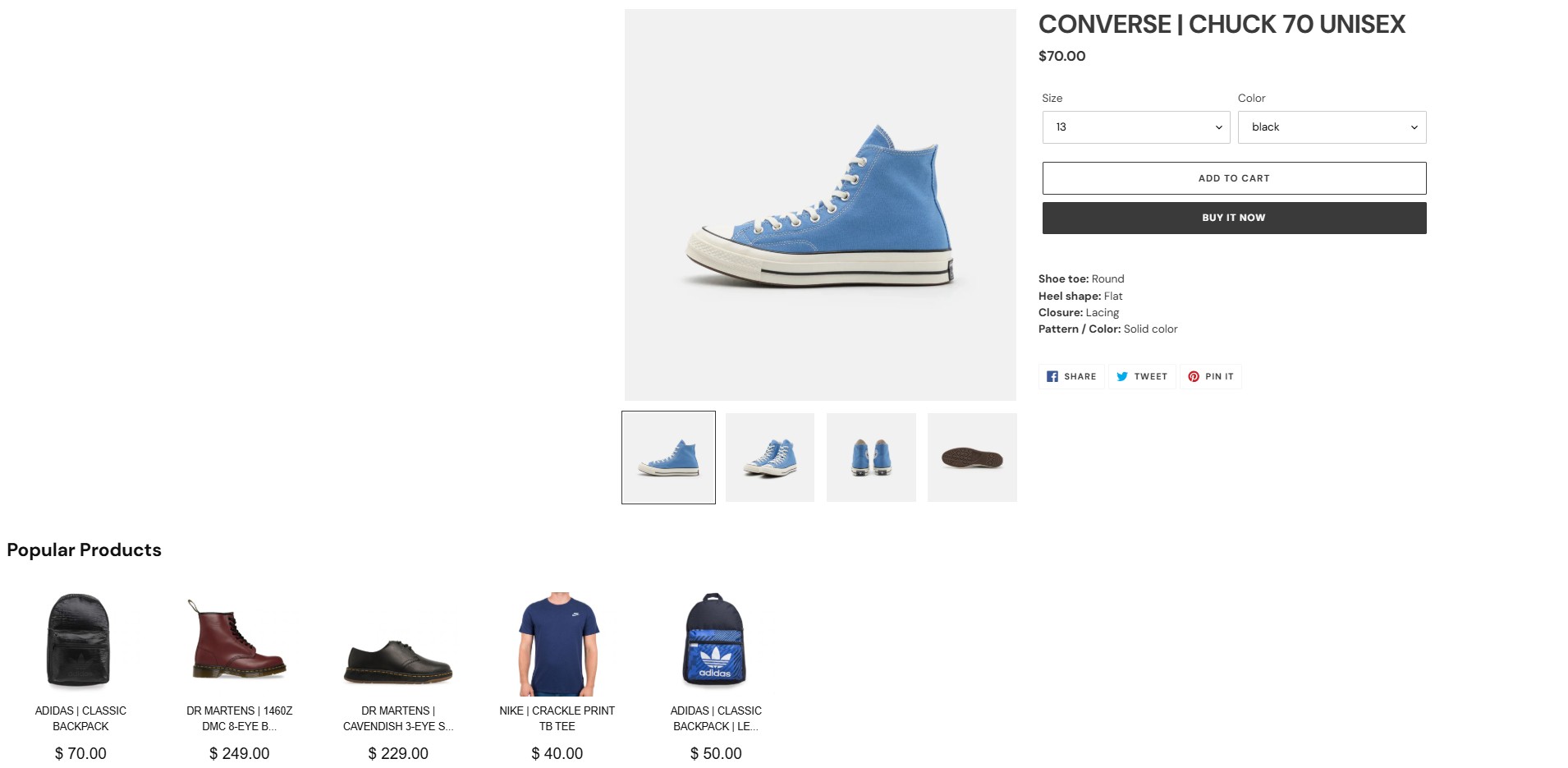
Why use the API?
Depending on your needs, this approach offers multiple benefits:- Full Control: Customize the variation display to match your design and UX standards.
- Better Performance: Use optimized API calls to reduce page load delays compared to script-based solutions.
- Easier Debugging: Log, monitor, and debug integrations within your client codebase using standard tools.
- No Third-Party Script Dependency: Use direct calls to avoid external scripts, reduce potential conflicts, and align with security policies.
- SPA-Friendly: Integrate directly into single-page applications to avoid timing issues and fit into client-side routing.
- Ad Blocker Resilience: Deliver experiments consistently without third-party scripts or specific HTML markers. For more details on how ad blockers affect Kameleoon, see the FAQ.
Goal
Retrieve recommendations from the product catalog using the Product Recommendation API. The following image shows a recommendation section added to a product page: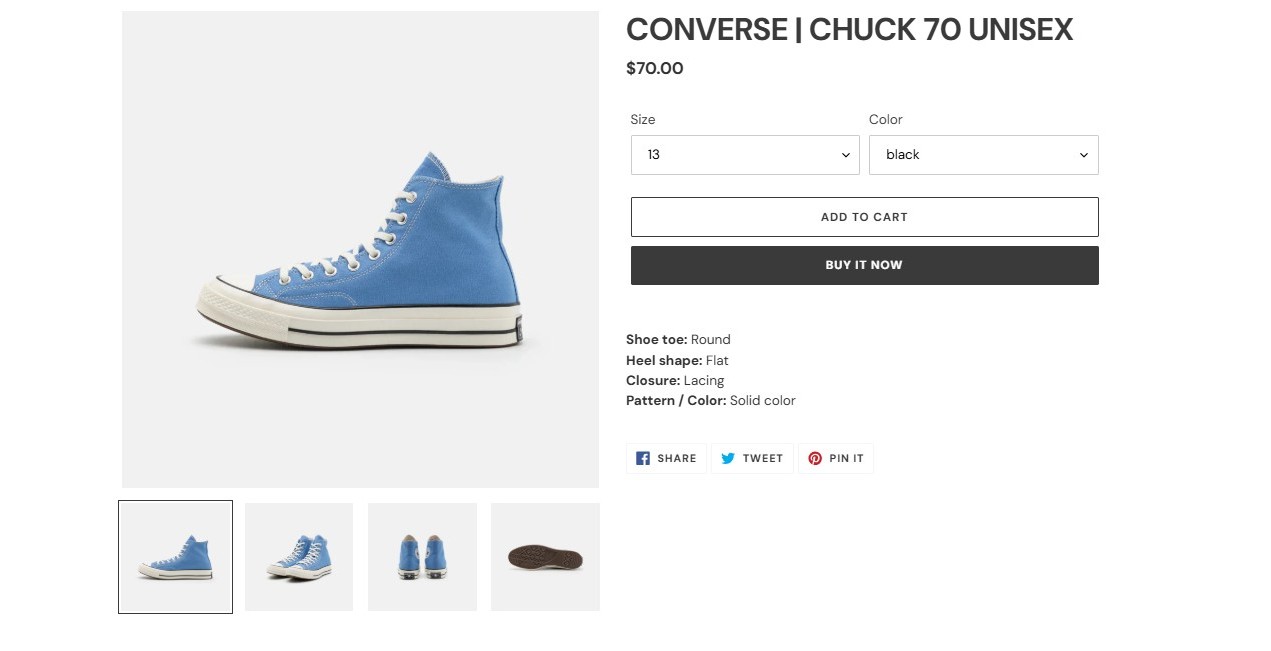
Requirements
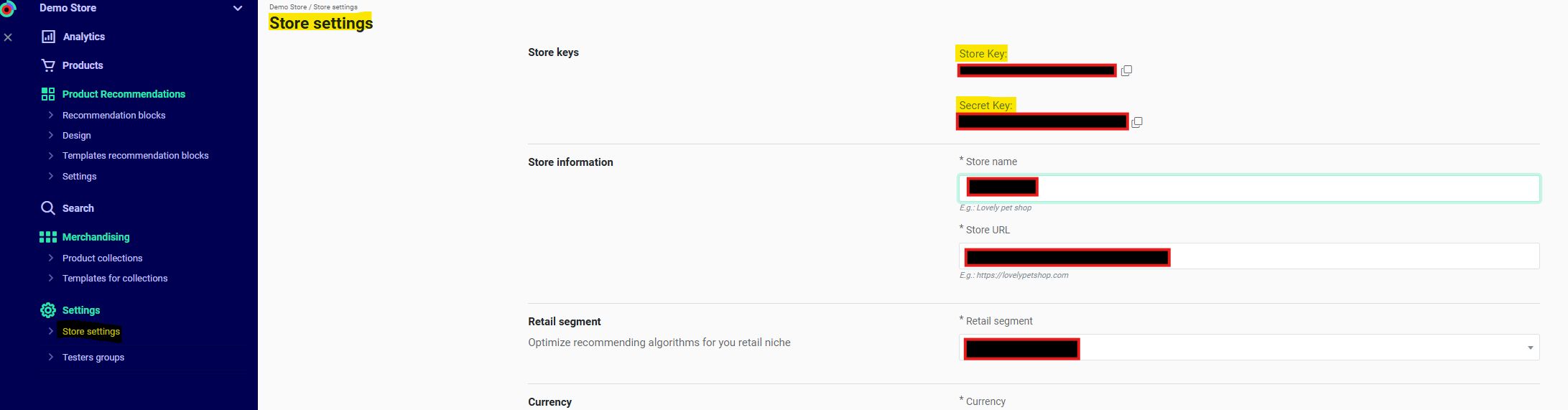
- A valid Kameleoon account with a Store ID (
shop_id).- Get your
shop_idfrom Recommendations > Settings > Store settings in the Kameleoon app. Contact your Customer Success Manager for the key if necessary.
- Get your
- A Device ID (
did) and Session ID (sid). (Required only when using filters or algorithms that rely on historical device/user data).- For Kameleoon Web Experimentation, get these from the following cookies:
KameleoonProducts_device_id→ Device ID (did)KameleoonProducts_session_code→ Session ID (sid)
- Otherwise, generate these values manually.
- For Kameleoon Web Experimentation, get these from the following cookies:
Steps
1. Retrieve cookies (Kameleoon Web Experimentation only)
2. Configure your product recommendations
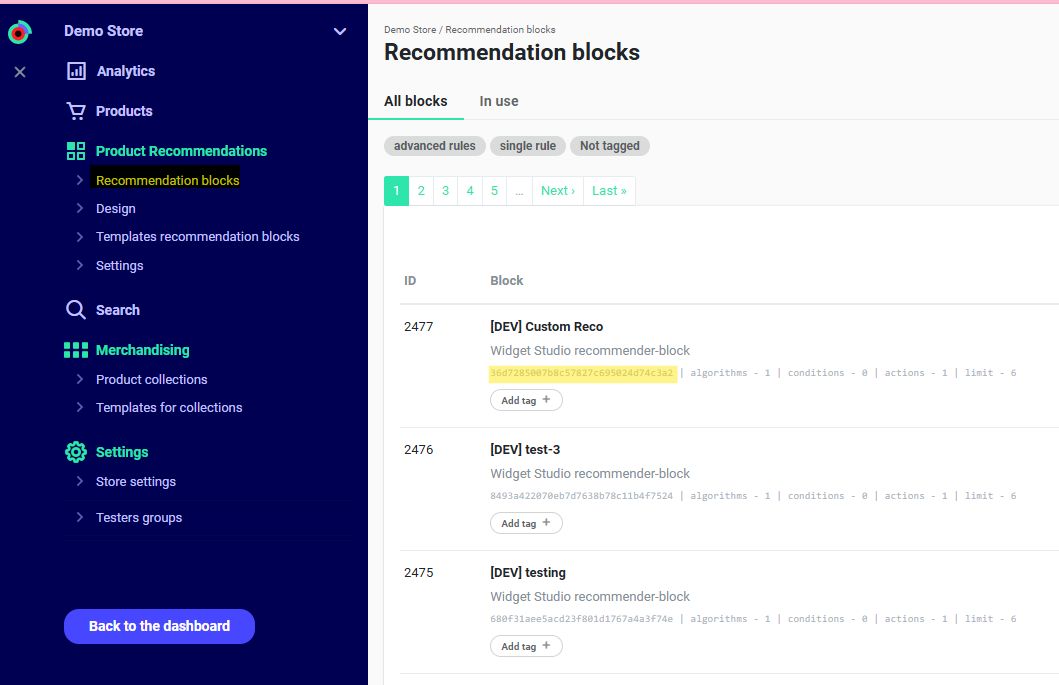
Navigate to Recommendations > Product Recommendations > Recommendation Blocks in the Kameleoon app. For unconfigured blocks, follow this guide. Identify therecommender_code.
3. Query request
Endpoint:Replace
{recommender_code} with the value retrieved in Step 2.
Example:
4. Response
If
extended = 1, products contain all product details. Otherwise, the API returns only the product IDs as strings.The mobile app can ignore
html.