

Data warehouse integrations are available as a premium add-on for our Web Experimentation and Feature Experimentation module. For more information, please contact your Customer Success Manager.
- BigQuery
- Snowflake
- Redshift
- Databricks
- Microsoft Azure
Target your imported audiences in a Kameleoon experiment
This standard example shows the simplest method of targeting your imported audiences in a Kameleoon experiment. Let’s say you have a user table in your warehouse, a sample of which looks like this:
SELECT id FROM user WHERE place_of_birth="LONDON"
To target the audience polled by this (and all other) Ingestion Tasks, you need to to go through the following setup.
Set up a Kameleoon Custom Data entry

- In the left menu, click Configure > Custom data.
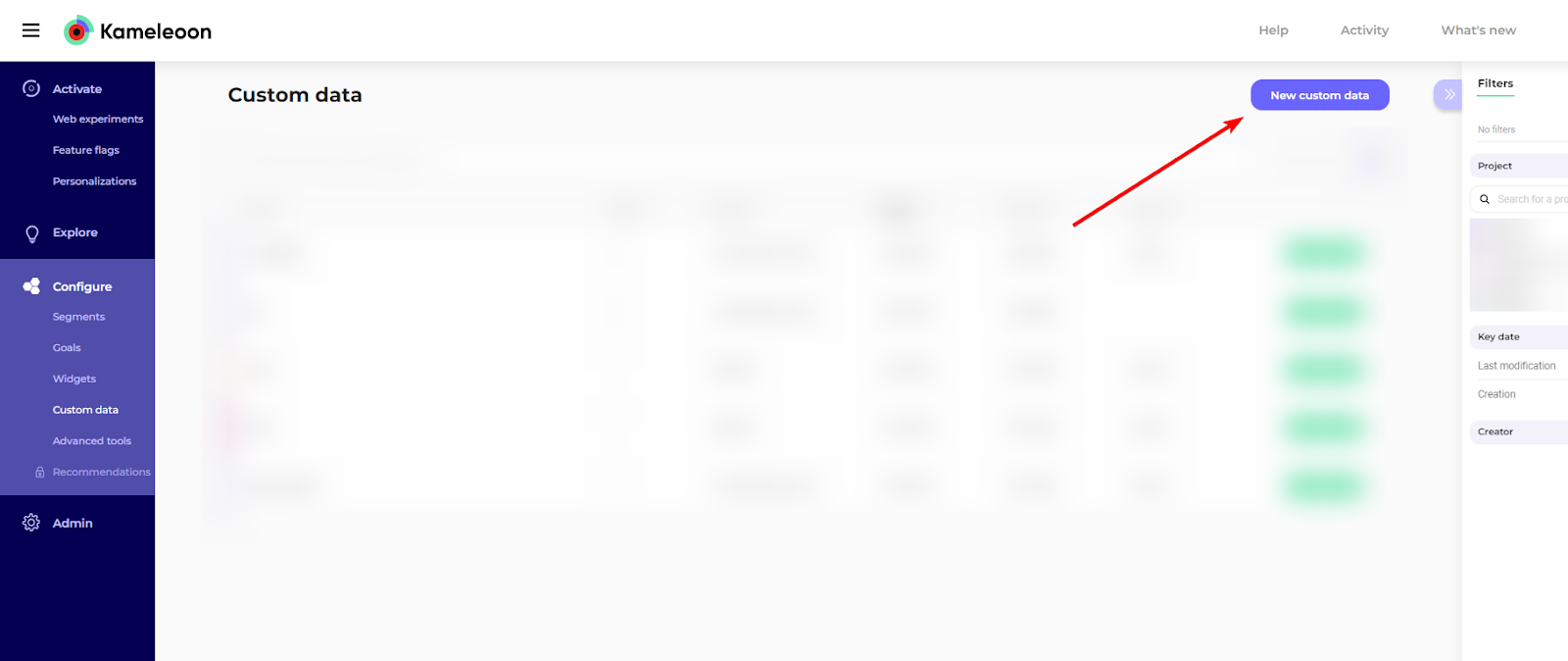
- Click New custom data.
- Provide a name for your custom data.
- Select the project on which you configured the Data Ingestion Task
- Choose the acquisition method Kameleoon SDK method or Custom JavaScript code.
- Please see the following section dedicated to this parameter here.
- Choose List for the type and String for the format.
- For the Scope, select Visit.
- Click Next.
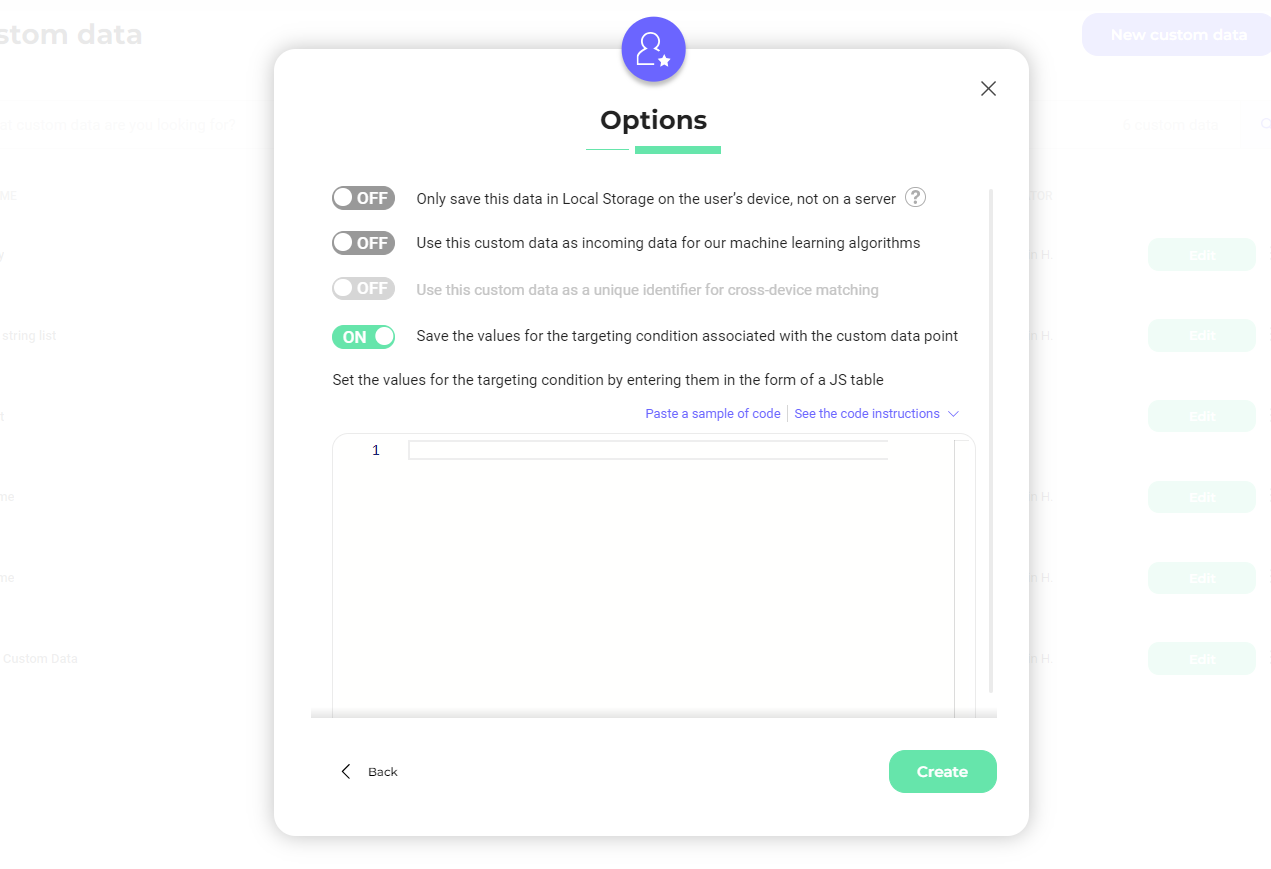
- You can set the different values that will appear in the segment’s targeting condition you create. Click Save the values for the targeting condition associated with the custom data point.
- Click Create.
Custom data acquisition
The custom data acquisition method specifies what code fills the custom data’s value and where this code is executed. There are several acquisition possibilities according to your Kameleoon set up. If you are using Feature Experimentation only, you can select the Kameleoon SDK method. When using this method, the acquisition code will execute at the points where you’ve included Kameleoon SDK methods. These Kameleoon methods fetch the warehouse audiences your visitor belongs to and then store that information in the Custom Data section. The precise code snippet depends on the SDK you are using. Here is an example written with our JavaScript SDK:warehouseVisitorId variable needs to be filled with the visitor ID that your organization uses for this visitor in their warehouse. This line of code depends on your organization’s visitor identification system. If you don’t have one, you can use the Kameleoon Visitor Code, but you also must use the Kameleoon Visitor Code in your warehouse.
Replace the value of customDataIndex with your custom data’s index. You can find the index on the dashboard:

This is a one time setup that will work for all of your Ingestion Tasks.
- Create a segment as explained in the dedicated documentation.
- In your segment, use a custom data condition.
- When choosing the is among the values operator, you should see the list of Audiences associated with the Data Ingestion Tasks you created: The Londoners, Born in March, etc.
Targeting imported audiences by attributes
This section explains an alternate method to target audiences you’ve imported from your warehouse. This method is especially helpful if you want to run separate Experiments targeting different values of the same visitor attribute. We’ll keep the same data and use case as in the previous example, only this time we want to target many different cities of origin and not just visitors born in London. This targeting would be possible with the setup previously described: you would create an Ingestion Task for each place of birth you wish to target. However this could be a bit tedious if you want to target 50 different cities. Kameleoon lets you import attributes of the visitors in your warehouse audiences. Importing is achieved by adding extra fields to the SQL query after the visitor id field, like this:SELECT id, place_of_birth FROM user
You can then create a Custom Data that will, this time, contain the value of the attribute place_of_birth. For JavaScript SDK implementation, the code looks like this:
taskId is the Ingestion Task’s unique number identifier that is found in the user interface where the task was defined.
You can add as many visitor attributes as you like in the SQL request and use these attributes in many ways with our SDKs.