

This feature is in open beta and active development. Contact the Kameleoon support team for support with this integration.

/batch endpoint of the Segment HTTP API.
Key benefits
- Precise behavior insights: The integration sends specific events to third-party tools for visitors exposed to web experiments and feature flags on SDK-based projects, such as apps. This detailed tracking enables a clearer view of how different variations impact user actions. For example, you can observe which variation drives more clicks, conversions, or other desired outcomes, helping you determine the most effective approach.
- Real-time decision-making: The integration provides data in real time, enabling on-the-fly decision-making. Armed with up-to-date insights into ongoing experiments, you can swiftly adjust strategies if a variation isn’t performing as expected.
- Effortless setup: Enable third-party integrations directly from the Kameleoon app with no need for custom code or SDK changes.
Considerations
Kameleoon’s server dispatches events to Segment with a minimum 30-minute delay. To configure this integration, you need the following:- Kameleoon SDK: Install the Kameleoon SDK on your server-side project.
- Write Key: Your Segment Write Key (create a new Segment source for Kameleoon events, though you can use an existing key).
- Workspace location: Specify if your Segment workspace is in the EU. You can find this information in your Segment workspace settings.
Setup
You can activate this integration for Web and Feature experiments.For web experiments
- Click Admin > Integrations.
- Click the download icon on the right of Segment’s card.
- Select the projects on which you want to configure Segment and click Validate.
- Add Segment in the Integrations tab of the finalization flow.
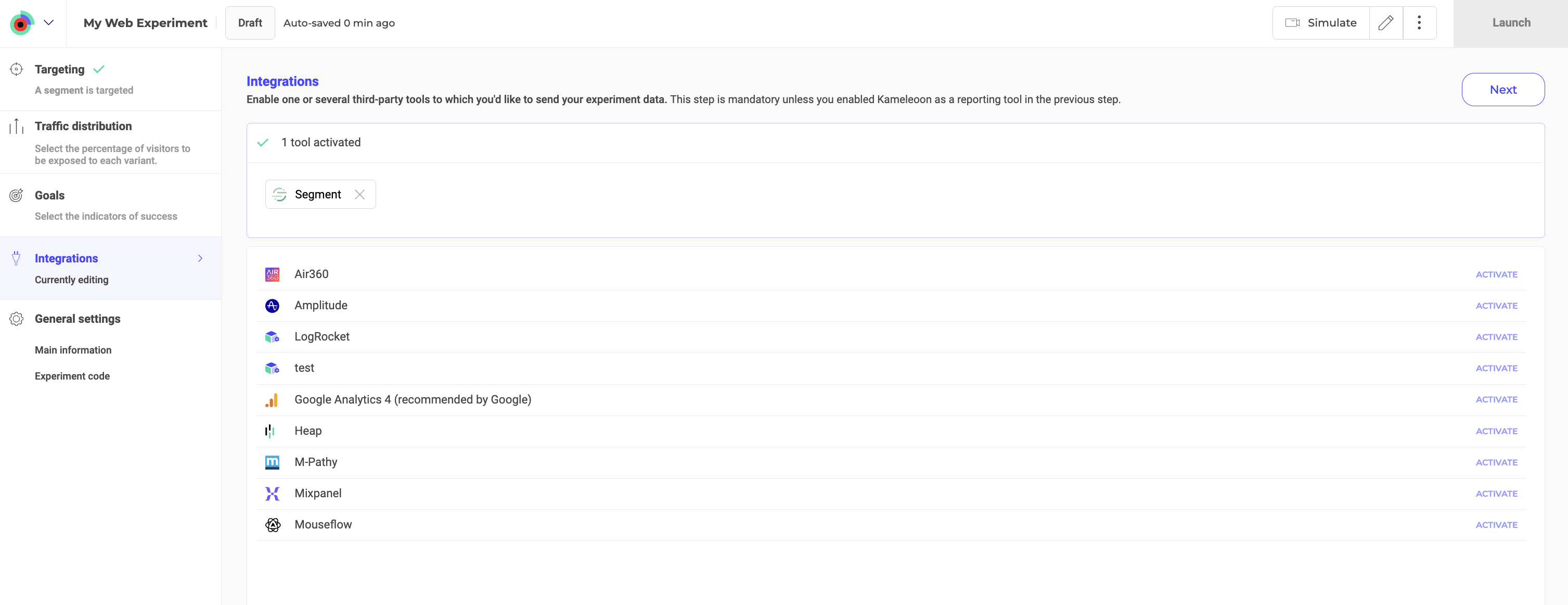
For feature experiments
- Edit a feature flag or create a new one.
- Under Reporting, click Integrations.
- Toggle Segment on in all desired environments.
- User ID
- Exposure time
- Kameleoon experiment ID
- Kameleoon variant ID
Event payload example
Kameleoon sends events to Segment in the following format:userId contains the visitor’s Kameleoon visitor code. If you set up Kameleoon cross-device reconciliation, Kameleoon uses the identifier put into the cross-device reconciliation custom data instead of the visitor code.
Kameleoon doesn’t include any custom data specific to your organization in the events it sends from the server, even if that data typically appears in your Segment events.