

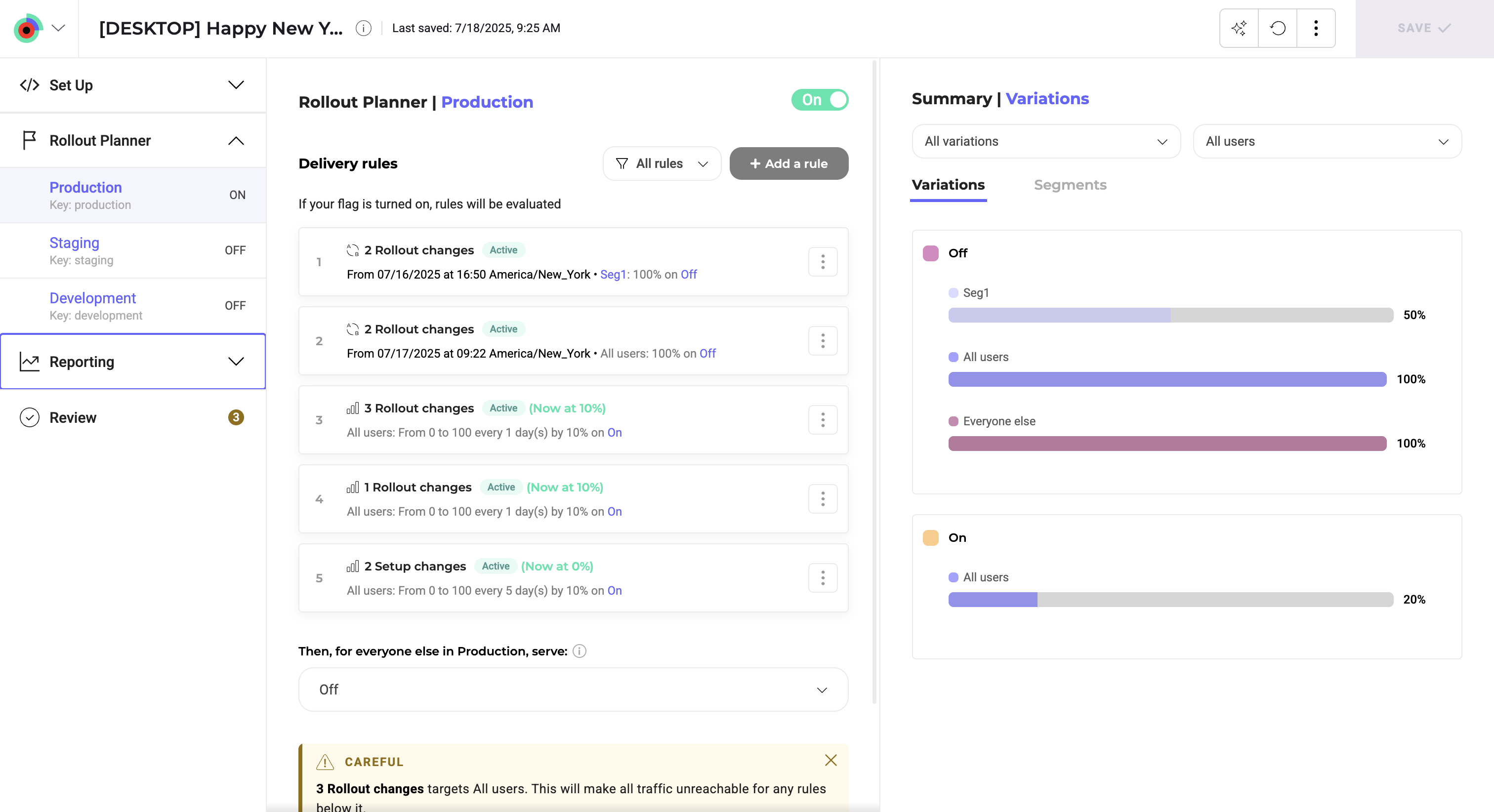
- A header in the top left indicating the flag’s name, associated site code, and feature key.
- A Setup menu to create and manage your feature variables and feature variations.
- A Rollout Planner specific to each of your environments. Changes made to a feature flag are specific to the environment you select in this section.
- A reporting section which lists the Results pages for your created experiments.
- A toggle that turns your feature flag on or off.
- A Delivery rules section, where you add your rollout rules.
- A rollout summary that summarizes the variations you’re deploying through your rollout rules and the segments your rollout rules target.
Accessing the reporting section requires the Marketing role. Learn more in User roles.