

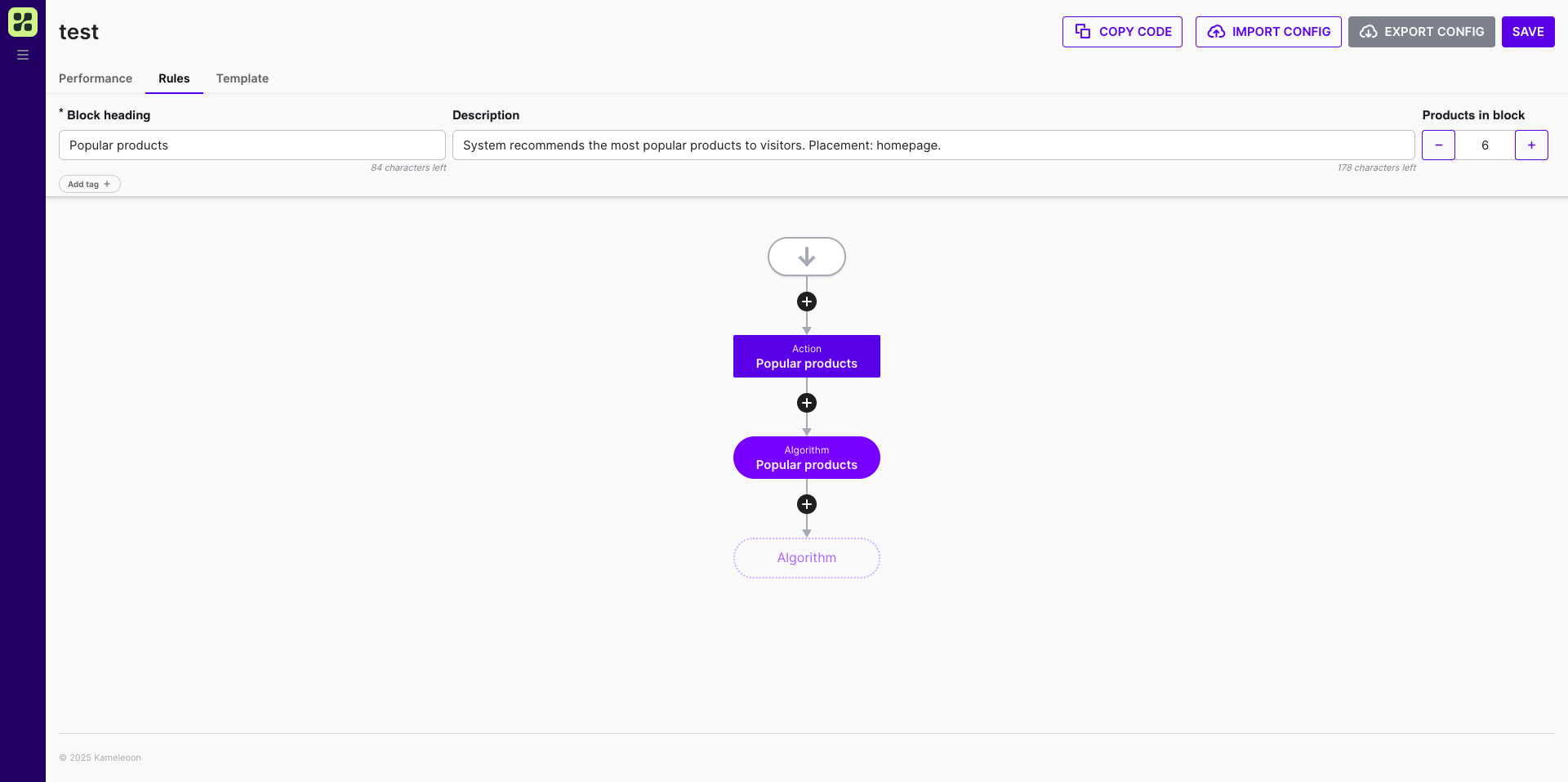
You can select an algorithm, set a quantity of product returned by the algorithm, and add filters.
If you set a limit of ten products, but the limit of products in the block is six, the block will display six products.
Algorithms at work
Below is a list of algorithms that only work under certain conditions. If the conditions aren’t met, the algorithm won’t work.Only works on the product page
- Similar products algorithm (works when a product ID is available)
- Products usually purchased with this item algorithm
- Store recommendations algorithm
Only works if there are items in the cart
- Products usually viewed with this product algorithm.
FAQ
Can I import my own recommendation algorithm?
Can I import my own recommendation algorithm?
No. Kameleoon doesn’t support Bring Your Own Algorithm (BYOA) for product recommendations. Use one of Kameleoon’s built-in algorithms.
Is there a limit to the number of recommendations I can display?
Is there a limit to the number of recommendations I can display?
Kameleoon doesn’t enforce a strict limit on the number of products a recommendation block returns. Requesting many products affects algorithm performance and increases response times, so display fewer than 50 products per block. To display larger product sets, use collections.
Can I use a custom field name (like shop_recommend) for the Store recommendations algorithm?
Can I use a custom field name (like shop_recommend) for the Store recommendations algorithm?
No. The Store recommendations algorithm requires the
accessories tag in your data feed. It doesn’t recognize custom names, such as shop_recommend, for manual product relationships. The algorithm only works on product detail pages.To link products manually, for example to display complementary items, map the related product IDs to the accessories tag.The algorithm displays only the products linked through the accessories tag. To restrict these results further, apply standard filters to the recommendation block, for example to exclude out-of-stock items from the manual list.How do I provide data for the Currently on wishlist algorithm?
How do I provide data for the Currently on wishlist algorithm?
The Currently on wishlist algorithm needs an explicit signal when a visitor adds an item to a wishlist, because the recommendation engine doesn’t detect wishlist interactions automatically. Call the
trackAddToWishList() method from the Activation API to send the event data that populates the algorithm.